A great idea alone doesn’t guarantee a successful project. Without a well-structured project plan, even the most experienced teams can struggle with missed deadlines, unclear responsibilities, changing priorities, and communication gaps.
A project plan acts as the blueprint for your entire project. It defines what needs to be done, who is responsible, when work should be completed, and how progress will be measured.
Whether you’re launching a new product, managing client work, implementing software, or coordinating internal initiatives, creating a structured project plan significantly improves your chances of success.
In this guide, you’ll learn how to build a practical project plan that keeps your team aligned from kickoff to completion.
A project plan is a structured document that outlines every important aspect of a project before execution begins.
Instead of simply listing tasks, a project plan connects objectives, timelines, responsibilities, milestones, resources, and deliverables into one organized workflow.
A well-designed project plan answers five important questions:
- What are we trying to achieve?
- Who is responsible?
- What work needs to be completed?
- When should each task be finished?
- How will success be measured?
When everyone understands these answers from the beginning, projects become easier to manage and far less likely to fail.
Many businesses jump directly into execution without investing enough time in planning. This often creates confusion later in the project.
Without proper planning, teams commonly experience:
- Scope changes that delay delivery
- Unclear ownership of tasks
- Resource conflicts
- Missed milestones
- Poor communication
- Budget overruns
- Client dissatisfaction
Spending time planning at the beginning usually saves much more time during execution.
Every project should begin with clearly defined objectives.
Ask yourself:
- What problem are we solving?
- What does success look like?
- What business value will this project deliver?
- Who are the primary stakeholders?
Clear objectives help every team member understand the purpose of the project and make better decisions throughout execution.
Deliverables are the tangible outcomes your project must produce.
Examples include:
- Website launch
- Software application
- Marketing campaign
- Client proposal
- Product documentation
- Internal training program
Listing deliverables early prevents misunderstandings later.
Large projects become manageable when divided into smaller tasks.
For each deliverable, identify:
- Required activities
- Estimated effort
- Dependencies
- Responsible team member
- Expected completion date
Breaking work into smaller pieces also makes progress easier to monitor.
Step 4: Set Priorities and Milestones
Not every task carries the same importance.
Organize work by priority:
- High Priority
- Medium Priority
- Low Priority
Then establish milestones such as:
- Project Kickoff
- Design Complete
- Development Complete
- Testing Finished
- Client Review
- Final Delivery
Milestones give everyone clear checkpoints throughout the project.
A project succeeds when ownership is clear.
Every task should have one primary owner.
This improves accountability and eliminates confusion about who is responsible for completing specific work.
Managers should also ensure workloads are balanced across the team.
Avoid setting overly ambitious deadlines.
When creating your timeline:
- Consider task dependencies
- Account for reviews and approvals
- Include buffer time for unexpected issues
- Balance workload across team members
Realistic planning increases delivery success while reducing unnecessary stress.
A project plan isn’t something you create once and forget.
Successful teams regularly review:
- Completed tasks
- Upcoming deadlines
- Risks
- Delays
- Resource availability
Frequent monitoring allows managers to resolve issues before they become major problems.
Many projects struggle because of avoidable planning mistakes.
Examples include:
Starting Without Clear Objectives
Teams often begin working before everyone understands the project’s purpose.
Ignoring Risks
Every project carries some uncertainty.
Identifying potential risks early helps reduce future disruptions.
Overloading Team Members
Assigning too much work to a few individuals creates bottlenecks and delays.
Balanced workloads improve productivity.
Failing to Update the Plan
Projects change.
Your project plan should evolve as priorities shift or new information becomes available.
Managing project plans using spreadsheets or disconnected documents quickly becomes difficult as projects grow.
Modern project management software helps teams:
- Create projects faster
- Organize tasks
- Assign responsibilities
- Track milestones
- Share files
- Monitor progress
- Keep communication centralized
Instead of searching across multiple tools, everyone works from one connected workspace.
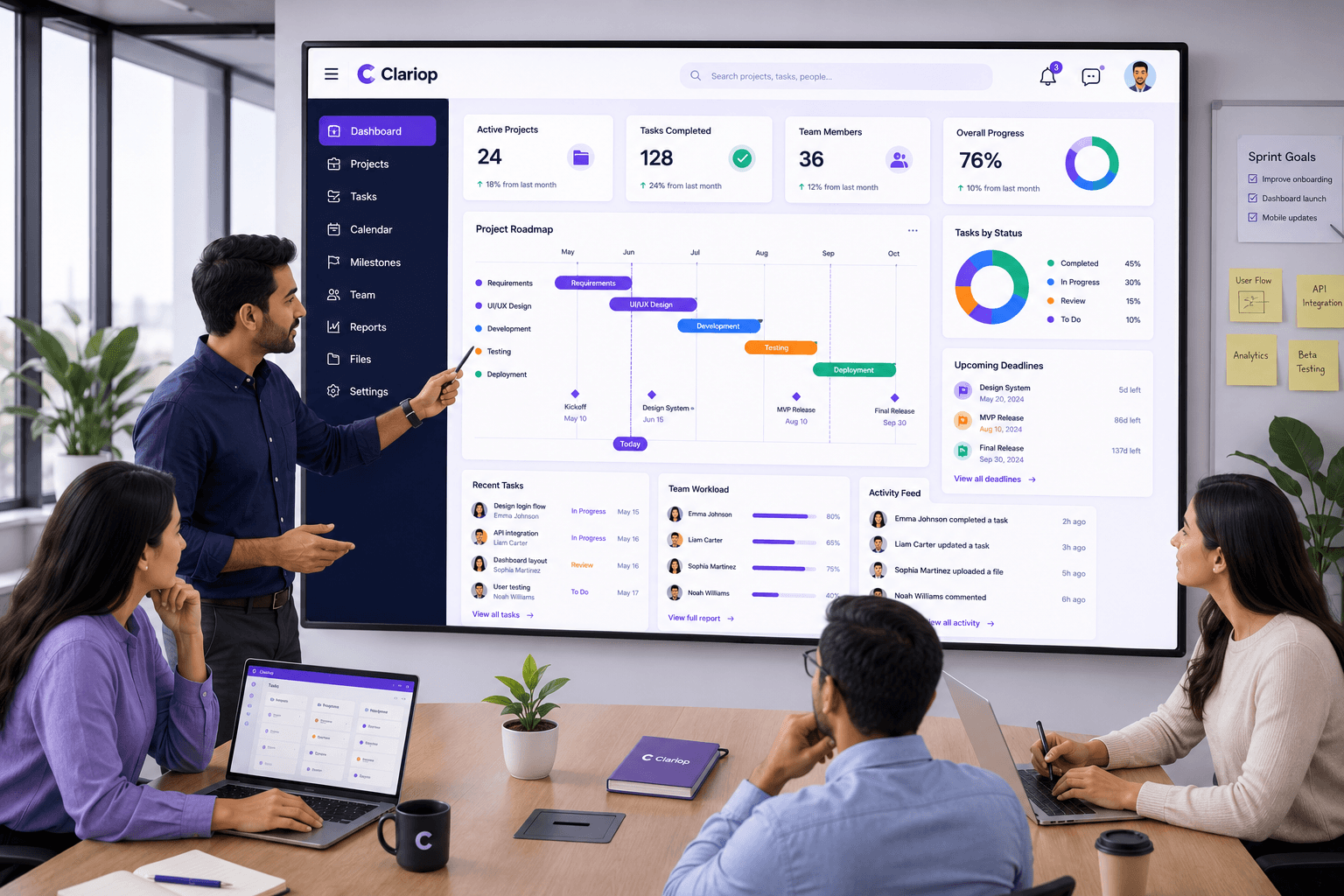
Clariop makes project planning simple by bringing projects, tasks, team members, documents, calendars, and activity updates together in one platform.
Project managers can organize work, assign responsibilities, monitor progress, and keep every stakeholder informed without switching between multiple applications.
Whether you’re managing a small internal project or coordinating complex business operations, Clariop provides the visibility and structure needed to plan with confidence.
A successful project rarely happens by accident. It begins with a thoughtful plan that clearly defines objectives, responsibilities, timelines, and milestones.
By investing time in planning before execution, businesses reduce risk, improve collaboration, and increase the likelihood of delivering projects on time and within scope.
As your projects become more complex, using a centralized project management platform can make planning more efficient and help your entire team stay aligned from start to finish.
What is a project plan?
A project plan is a structured roadmap that defines objectives, tasks, timelines, milestones, responsibilities, and deliverables required to complete a project successfully.
Why is project planning important?
Project planning reduces confusion, improves accountability, minimizes delays, and increases the likelihood of delivering successful outcomes.
What should every project plan include?
A good project plan includes objectives, scope, deliverables, tasks, milestones, timelines, assigned team members, and progress tracking.
Can project management software improve planning?
Yes. Project management software centralizes planning, task management, collaboration, and reporting, making it easier for teams to stay organized and execute projects efficiently.
Planning becomes easier when your projects, tasks, team members, documents, and timelines are managed in one place. Start your 30-day free trial with Clariop and experience a simpler, more organized way to plan and deliver projects.


 Sarah Mitchell